
PS Store refunds: the 14-day rule, pre-orders, PS Plus and how to request one yourself
2026-11-03 · Guides
Short answer: Sony refunds a game or add-on if no more than 14 days have passed since purchase and you haven't started downloading or streaming it. For a PS Plus subscription, you have 14 days even if you've used it, but the amount may be reduced. Wallet top-ups aren't refundable. You can file a request on the website or in the PlayStation App: Transaction History → the purchase → Request a Refund. If you paid with a top-up code, the money goes back to your PSN wallet.
Refund rules by purchase type
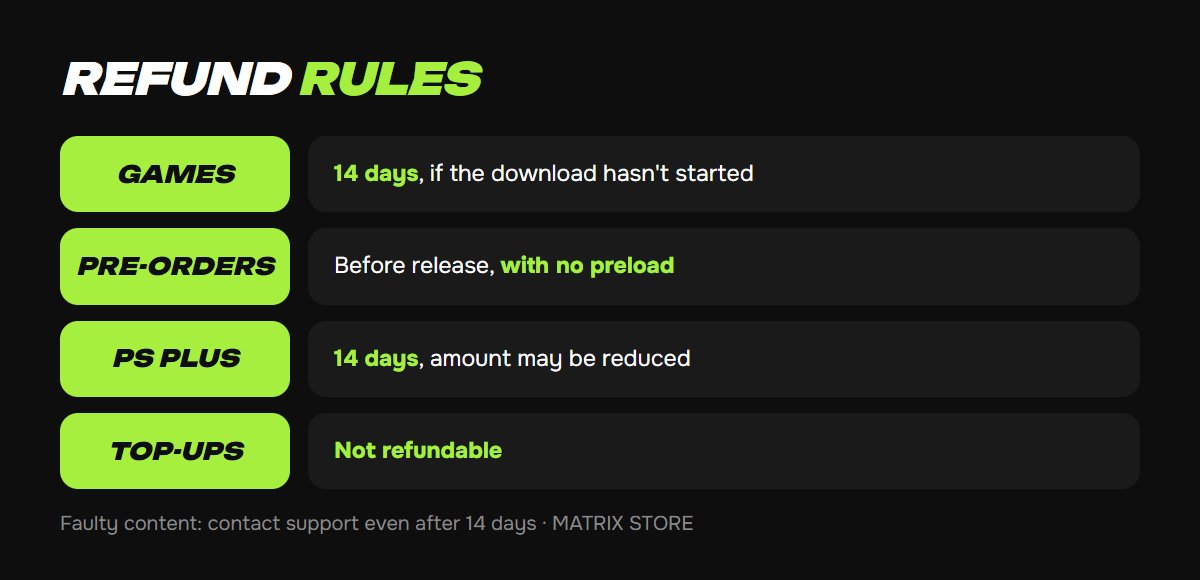
- Games and add-ons. 14 days from purchase, if the download hasn't started. Just starting the download means losing your right to a refund.
- Pre-orders. Placed more than 14 days before release: cancel any time before release. Placed less than 14 days before release: within 14 days of payment. In both cases, the game must not have been downloaded, including by preload.
- Subscriptions (PS Plus, EA Play). 14 days from the first payment. Only the first payment is refunded, and the amount may be reduced for days used.
- In-game currency and items. Bought in PS Store: 14 days, if you haven't launched the game since buying. Bought inside the game: not refundable.
- Wallet top-ups. Not refundable.
- Faulty content. If a game doesn't work because of an error, you can contact support even after 14 days.
How to request a refund yourself
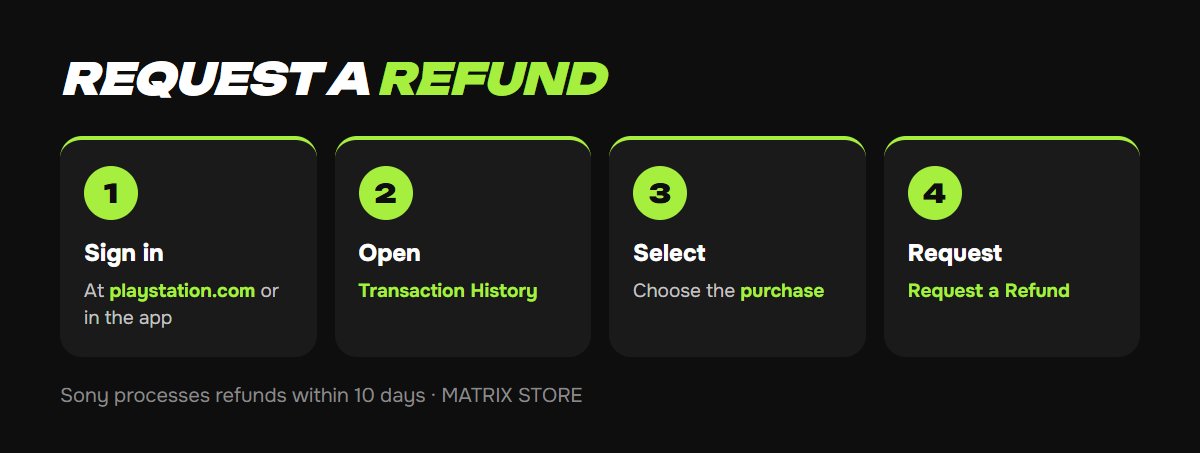
Since late August 2025, you can file a request without a support agent:
1. Sign in to your account at playstation.com or in the PlayStation App.
2. Open Account Settings → Transaction History.
3. Select the purchase and choose Request a Refund.
4. Follow the prompts. If the button isn't there or your request isn't accepted, contact PlayStation support: Store → Refunds.
Sony processes refunds within 10 days.
Where the money goes
- Paid by card: usually back to the same card.
- Paid with a top-up code: to the PSN wallet of the same account. You can't withdraw it to a card.
- A game or subscription code bought from a retailer is refunded by that retailer, not by Sony.
Players with Turkish and Ukrainian accounts usually pay with codes, so refunds almost always go to the wallet. That's convenient, since you can spend the money on another game right away.
Don't want to risk buying the wrong game? We'll tell you whether a game suits your console before you buy. See PS5 Games.
How not to lose your right to a refund
- Turn off auto-download. If it's on, your PS5 will start downloading a purchased game by itself, and you won't be able to get a refund. Turn it off in Settings → Saved Data and Game/App Settings → Automatic Updates.
- Don't press Download right away if you're not sure about a purchase.
- Check the platform before buying. Don't buy the PS4 version instead of the PS5 one by mistake: look for the platform icon on the game page.
If your refund is denied
- The game is already downloaded. Under Sony's rules, you won't get your money back. You can ask support to make an exception if the purchase was a mistake, but that's up to them.
- More than 14 days have passed. Only if the content is faulty: describe the error and attach screenshots.
- It was a wallet top-up. These aren't refunded under any circumstances, so choose a code amount that fits a specific purchase.
FAQ
Can I get a refund for a game bought on a Turkish account? Yes, the rules are the same. The money goes back to your Turkish wallet.
Can I get a refund on PS Plus if my subscription started yesterday? Yes, within 14 days of the first payment. The amount may be reduced for days used.
Will I get a refund on a pre-order if the game is delayed? If the game hasn't been downloaded, you can cancel the pre-order before release.
Quick checklist
- Within 14 days, and don't start the download.
- Pre-order: before release, if there was no preload.
- PS Plus: within 14 days of the first payment.
- Request: Transaction History → Request a Refund.
- Paid with a code: the money goes back to your wallet.
Don't want to deal with it?
We'll buy a game or PS Plus on your account and tell you up front whether it suits you. Pay with USDT. Questions? Message our manager on Telegram or WhatsApp.