
Forgot your PSN password? How to reset it in a browser or on your console, and what to do without your email or phone
2026-11-03 · Guides
People forget their PSN password more often than you'd think: your console stays signed in for months, and you only need to remember it when you buy a new PS5 or switch phones. The good news is that as long as you can get into the account's email, recovery takes five minutes. It's harder if you've lost your email or the phone with your codes. Here's every case, based on Sony's official instructions.
Case 1: you know your email but forgot your password
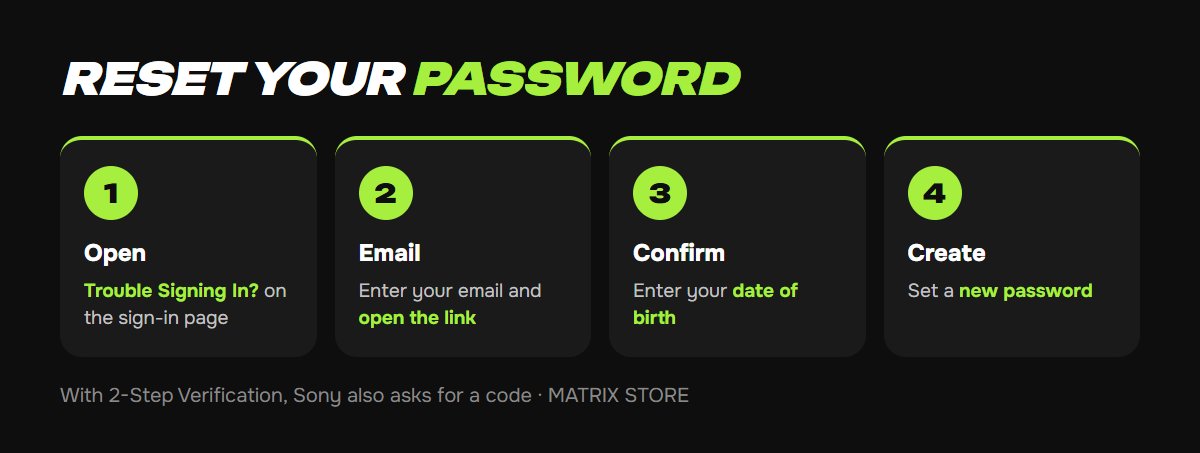
1. In a browser, open the account management sign-in page, playstation.com/acct/management, and select Trouble Signing In? → Recover Account.
2. Enter your account email and send the link. The message arrives within a few minutes, so check your Spam folder. Follow the link and confirm your date of birth.
3. Create a new password. If 2-Step Verification is on, Sony will require a code during the reset, either from your phone or a backup code.
4. It works the same way on a console. PS5: Settings → Users and Accounts → Account → Sign In, then follow the on-screen prompts. PS4: Settings → Account Management → Sign In.
If you remember your password and just want to change it: in a browser, go to Security → Password → Edit; on PS5, Settings → Users and Accounts → Account → Security → Password.
Case 2: you changed or lost your phone
2-Step Verification is tied to a number or an authenticator app on your old phone. Here are your options, in order:
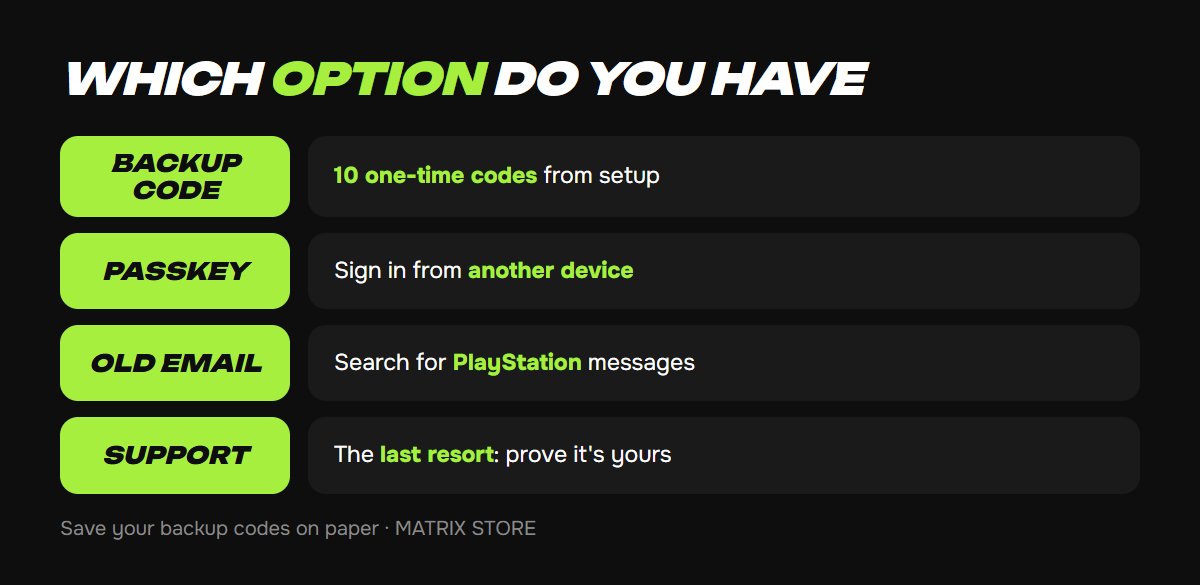
- Backup codes. When you turn it on, Sony gives you 10 one-time codes. On the code entry screen, choose "Having trouble getting a code?" → "Sign in with a backup code". On PS4, press triangle for this. Right after signing in, turn 2-Step Verification off and back on with your new phone: Settings → Users and Accounts → Security → 2-Step Verification. You'll get 10 new codes.
- A passkey on another device. If you signed in with a passkey from a tablet or laptop, sign in from that device and register a new passkey.
- Nothing at all: only Sony support can help, through the Online Assistant on playstation.com. As the company itself says, without backup codes or access to the number, only support can recover the account.
A code from SMS is valid for 10 minutes after the sign-in attempt. If you're too late, select "Resend code" and don't enter the old one.
Case 3: you can't access your email
This is the toughest case: the reset link goes to an email you can't get into. Here's what to do:
- Try to remember the address. Search all your inboxes for messages with subjects like "PlayStation purchase" or "PlayStation verify". Both guides and Sony's own troubleshooting page recommend this. Find a message and you've found the account's email; if it's still active, follow case 1.
- The email was deleted or hacked. Contact Sony support through the Online Assistant, in the Account section. According to guides, you'll be asked for your Online ID, sign-in email, console serial number, where you've signed in, and details of recent purchases: date, amount and game. The more that matches, the faster you'll get access back.
- Someone changed the email without you. That's a hack. See PSN account hacked: what to do.
With our Game Sharing, you get the sign-in details and instructions with your game, so there's nothing to recover. See the catalog.
To keep this from happening again
- Save your backup codes in a password manager or on paper rather than in your phone's notes. You can only view them after signing in: Account Management → Security → Backup Codes.
- Turn on a passkey, which doesn't depend on a password or SMS.
- Link an email you'll have access to for a long time, such as Gmail, Outlook or iCloud.
- Don't reuse your password on other services: leaks from other sites are the main cause of PSN hacks.
Don't want to deal with it?
We'll help you choose a game on your own account or through Game Sharing, with no passwords to your email or console. Pay with USDT. Questions? Message our manager on Telegram or WhatsApp.
Sources
- PlayStation: how to reset or change your password
- PlayStation: account recovery
- PlayStation: 2-Step Verification sign-in, backup codes, turning it off
- PlayStation: problems with 2-Step Verification
- PlayStation: troubleshooting sign-in problems
- LastPass: how to recover a PlayStation account, March 5, 2025