
PSN account hacked? What to do in the first 30 minutes, how to recover it through Sony support and how to protect it
2026-11-03 · Guides
Short answer: if the account's email is still yours, reset your password right away through "Trouble Signing In?" and turn on 2-Step Verification. If the attacker has already changed the email, only PlayStation support can recover the account: have your Online ID, original email, date of birth and purchase details ready. Once you're back in, change your password, get new backup codes and deactivate all devices. And never post screenshots of your purchase history: accounts get stolen using a transaction number even with 2-Step Verification on.
Signs your account was hacked
- You got an email about a change to your password, email (sign-in ID) or Online ID, and you didn't change anything.
- Your password suddenly stopped working.
- Your transaction history shows purchases you didn't make, or your wallet is empty.
- Your console says you're signed in on another device, or it keeps kicking you out of PSN.
- Console Sharing has disappeared on your PS5, because it may have been turned on for someone else's console.
Action plan: the first 30 minutes
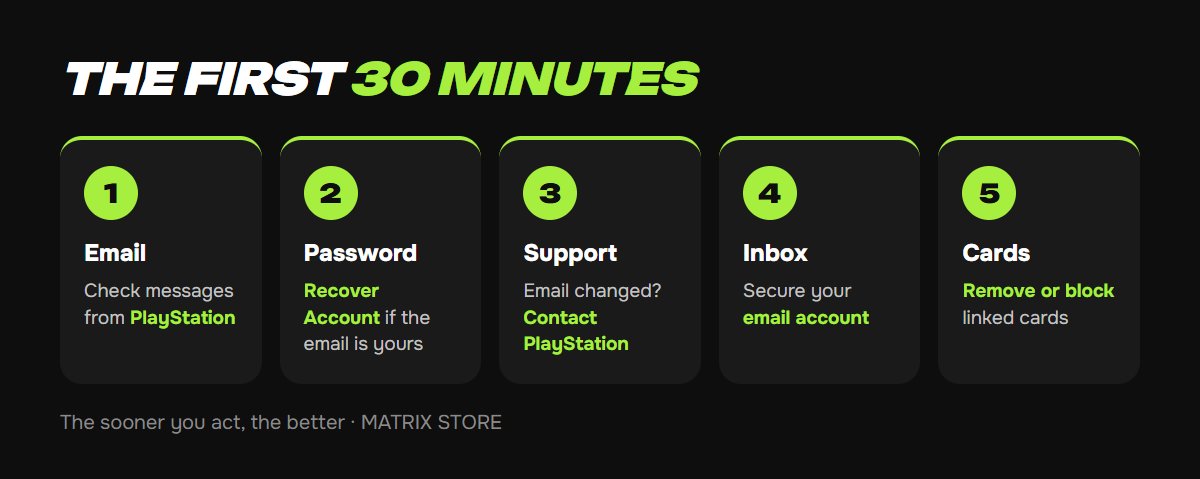
1. Check your email. Open the inbox linked to PSN and look for messages from PlayStation. If your email password doesn't work either, recover the email first, because you can't reset your PSN password without it.
2. Reset your password if the email is yours. On the playstation.com sign-in page, select Trouble Signing In? → Recover Account, enter your email and open the link in the message. Make the new password long and unique.
3. Has the account's email already been changed? A password reset won't help, so contact PlayStation support (see below). The sooner, the better: the attacker could spend your wallet funds or change your Online ID.
4. Secure your email. Change your email password and turn on two-factor protection there. PSN hacks often start with a hacked email account.
5. Check your cards. If a bank card was linked to the account, remove it in settings or block it with your bank.
How to contact PlayStation support
Go to the support page on playstation.com → Contact Us → Account and Security, and choose the topic about hacking or lost access. Live chat is usually available. If your account is Turkish or Ukrainian, select the account's country on the site; you can communicate in English.
Have these ready:
- your Online ID, plus the old one if it was changed;
- the email the account was created with, and the current one if you know it;
- the date of birth on the account;
- purchase details: transaction numbers from PlayStation emails, dates and amounts;
- the last 4 digits of your card, if you paid by card;
- the approximate date you created the account and your console model.
Support checks that the account is yours and can restore your email. If the agent can't confirm you're the owner, you'll be asked to wait for a review, which usually takes a few days. That's why it's so important to enter your real date of birth when registering and keep your purchase emails.
Need a new account for purchases? We create ready-made Turkish and Ukrainian PSN accounts, or set one up on your email. See PSN account creation for details.
After you recover your account
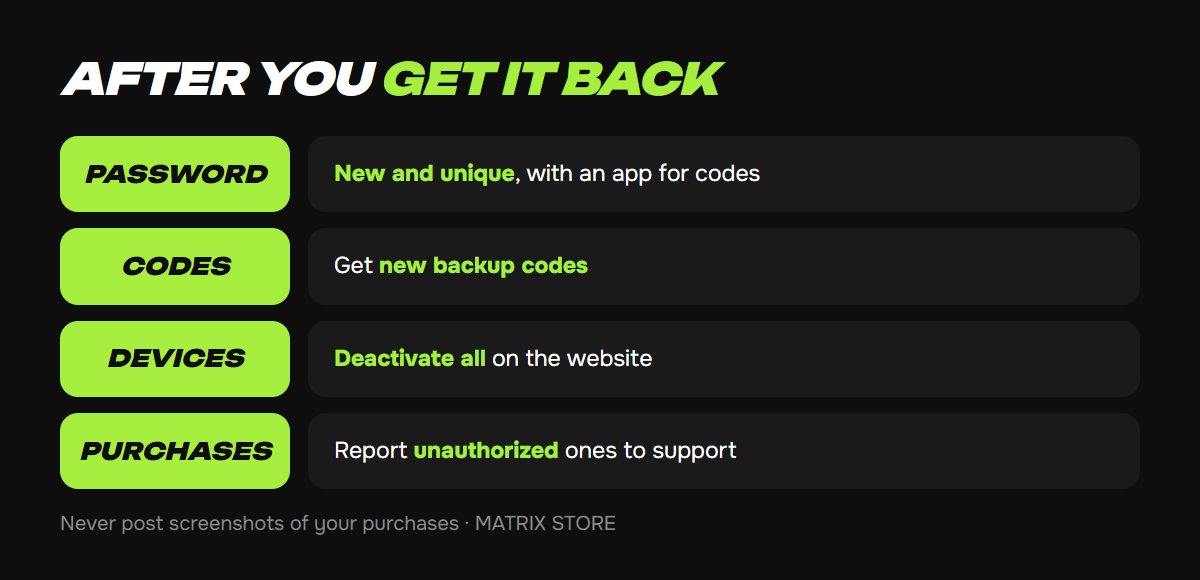
- New password and 2-Step Verification through an app rather than SMS. See our step-by-step guide to 2-Step Verification.
- New backup codes. The old ones may have fallen into the attacker's hands.
- Deactivate all devices. On the website, go to your account settings and device management. This removes other people's consoles from your account. You can do this once every 6 months. Then turn your primary console back on for your PS5.
- Check your purchases. Find any unauthorized purchases in your transaction history and report them to support. The sooner you do, the better your chance of getting the money back.
- Check your Online ID and profile details. If your username was changed, you can get it back for free through support or in your profile settings.
How to prevent a hack
- Don't post your purchase history. In 2025–2026, gaming outlets reported accounts being stolen through support: an attacker only needed the Online ID and a transaction number found in a screenshot or receipt. 2-Step Verification didn't help in those cases.
- Hide your Online ID on social media when posting receipts or photos of your console.
- Use a unique password for PSN and a separate one for your email.
- Don't enter your password on sites from ads or messages. Sign in only through playstation.com or the PlayStation App.
- Use 2-Step Verification through an app, and keep your backup codes on paper.
- Use your real date of birth when registering, since support uses it to confirm the owner.
FAQ
Will I get my games back if my account was stolen? If support recovers the account, all your purchases stay on it.
Will I get refunded for the hacker's purchases? That's up to support. Report unauthorized purchases as soon as possible and include the transaction numbers.
Can I recover an account without the email and codes? Only through support, if you can prove the account is yours.
Why turn off sharing on someone else's console? Otherwise your games stay available on it. Deactivating all devices solves this at once.
Quick checklist
- Email is yours: reset your password through Recover Account.
- Email was changed: go to PlayStation support right away.
- Have your Online ID, email, date of birth and transaction numbers ready.
- After recovery: new password, 2-Step Verification, backup codes, deactivate devices.
- Don't post screenshots of purchases or receipts.
Don't want to deal with it?
We'll create a new PSN account, ready-made or on your email, and show you how to protect it right away. Pay with USDT. Questions? Message our manager on Telegram or WhatsApp.