
PS5 HDMI Device Link (HDMI-CEC): turn your TV on with the console, stop the PS5 from waking up on its own, and use your TV remote
2026-11-07 · Guides
Quick answer: on your PS5, go to Settings → System → HDMI and turn on Enable HDMI Device Link. Two options sit underneath it: One-Touch Play turns on the TV and switches to the PS5 input when you power on the console, and Power Off Link puts the PS5 into rest mode when you turn off the TV. Your TV needs HDMI-CEC turned on too.
The tech behind it is HDMI-CEC, which lets devices connected over HDMI send each other simple commands like power on, power off, and switch input. Every TV brand gives it its own name.
Set it up on PS5
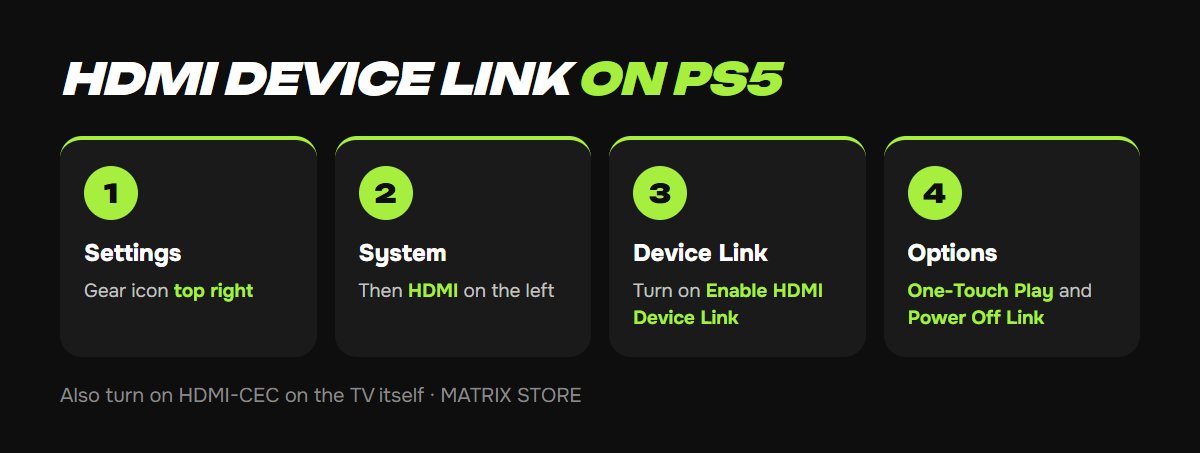
1. From the home screen, open Settings (the gear icon, top right).
2. Select System, then HDMI in the left menu.
3. Turn on Enable HDMI Device Link.
4. Decide whether you want Enable One-Touch Play and Enable Power Off Link. You can switch each one on or off separately.
What it's called on your TV
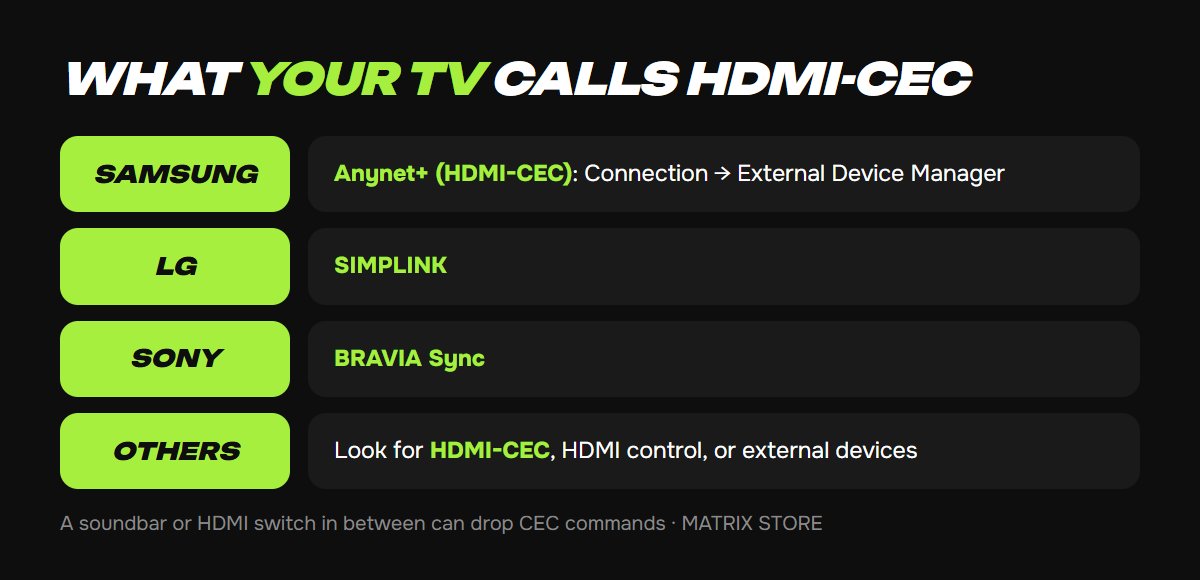
Samsung: Anynet+ (HDMI-CEC). On newer models: Settings → All Settings → Connection → External Device Manager.
LG: SIMPLINK.
Sony: BRAVIA Sync.
On other brands, look for HDMI-CEC, HDMI control, or external device settings. If your TV's manual mentions none of these, it probably doesn't support CEC, and HDMI Device Link won't do anything.
TV all set? Grab something new to play from the Matrix Store catalog.
PS5 turns on by itself when you turn on the TV
That's CEC too: some TVs wake every HDMI device when they power on. Try these fixes, from lightest to strongest:
Turn off One-Touch Play on the PS5 and leave HDMI Device Link on. That's often enough.
Turn off CEC for that one HDMI input in your TV menu, if your TV allows it.
Turn off Enable HDMI Device Link on the PS5 entirely. Both sub-options go off with it.
If the console wakes up while the TV stays off, for example overnight, look at remote play and download features in rest mode instead.
Control your PS5 with the TV remote
With CEC on at both ends, many TVs let you move around the PS5 menus with the remote's arrow keys and select with OK. It's handy for streaming apps and movies while your controller charges. It won't replace a controller in games.
Still not working?
Check both ends. CEC has to be on for both the PS5 and the TV. After changing settings, power both devices off and on again.
Connect directly. Soundbars, receivers, and HDMI switches between the PS5 and the TV often drop CEC commands. Plug the console straight into the TV to test.
TV turning off is interrupting a download? Turn off Power Off Link so switching off the TV doesn't send the PS5 into rest mode.
For the rest of your TV setup, like the HDMI 2.1 port, game mode, and HDR, see our best TV settings for PS5 guide.
Want a hand?
We'll help with console setup and pick games for your account or through Game Sharing. Pay with USDT. Questions? Message us in the bot @matrix_eng_bot or our manager on Telegram.