
How to add friends on PSN from PS5, PS4, and the PlayStation App: search by online ID, manage requests, Close Friends, and removing friends
2026-11-06 · Guides
Quick answer: on PS5, press PS → Game Base → Friends tab → Search for players, type your friend's online ID, open their profile, and select Add Friend. You're friends once they accept. Tick Become Close Friends if you both want to see each other's real name and profile picture.
Before you start, get your friend's exact online ID in writing. Searching by real name only works if they've made it visible in their privacy settings.
From PS5
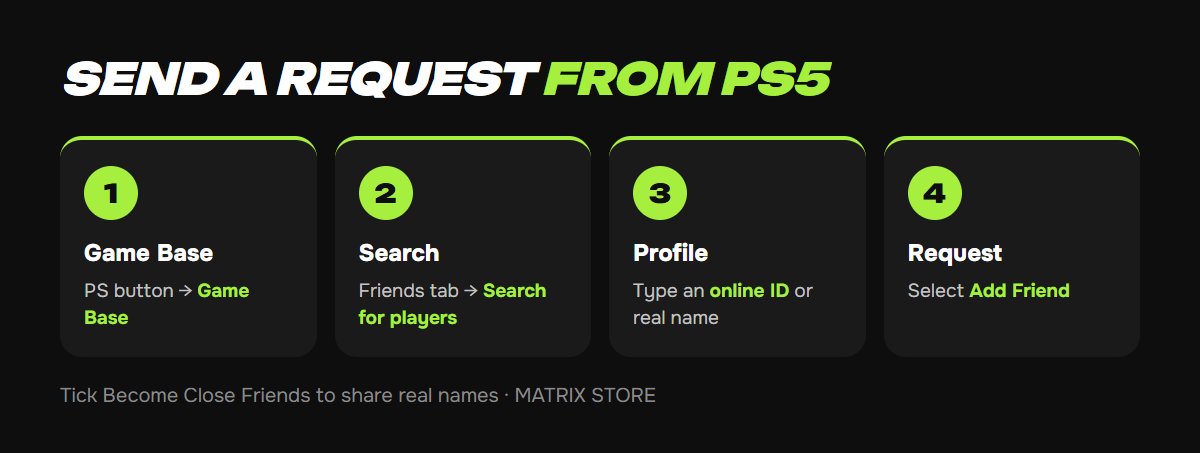
1. Press the PS button and select Game Base.
2. Open the Friends tab and select Search for players.
3. Enter an online ID or real name and choose the right player from the results.
4. Select Add Friend. Tick Become Close Friends to share real names right away.
Your friends list lives in Game Base → Friends.
From PS4
Open Friends from the home screen, go to the Search tab, find the player, and select Add to Friends.
From your phone
In the PlayStation App: Friends → Add Friend → find the player → optionally tick Share Your Real Name and Picture → Send Request. Handy when someone tells you their ID and you're nowhere near the console.
Found your co-op partner? Pick a game for two in the Matrix Store catalog, on your account or through Game Sharing.
Requests, canceling, and removing
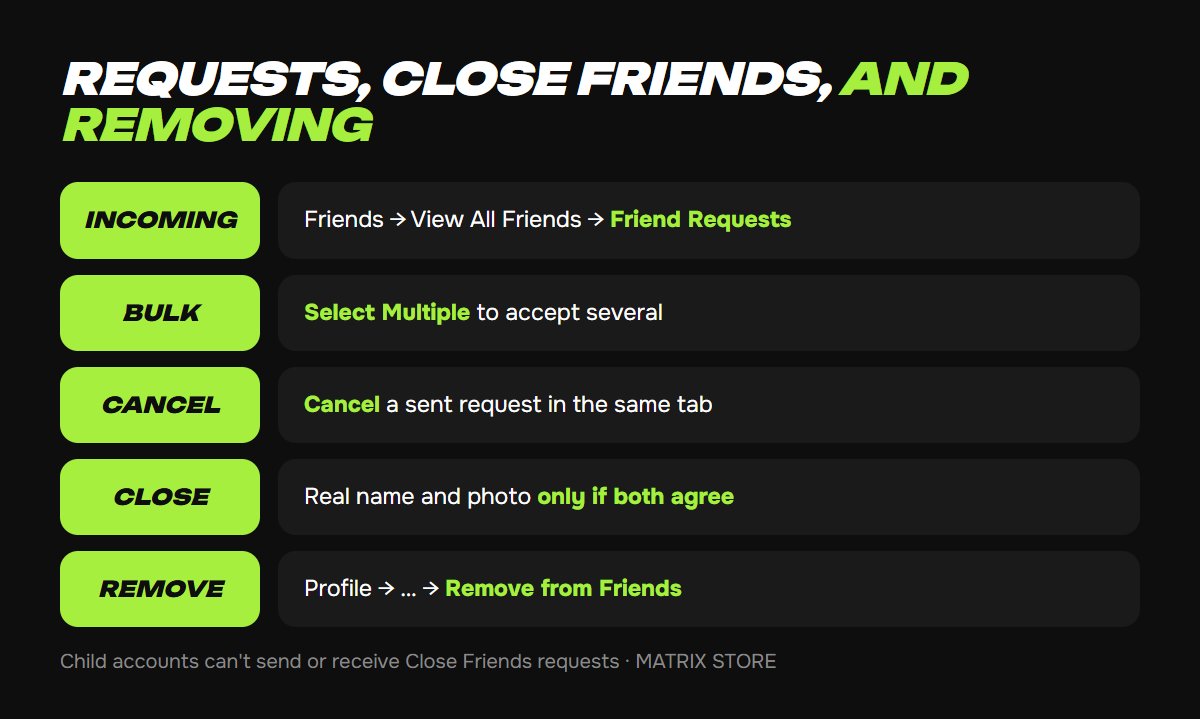
Accept or decline: Game Base → Friends → View All Friends → Friend Requests tab → Accept or Decline. Select Multiple handles a batch at once.
Cancel a sent request: in the same tab.
Remove a friend: open their profile → … (More) → Remove from Friends. Same on PS4. In the PlayStation App: Friends → Remove as Friend.
Close Friends and real names
Regular friends see only your online ID. Close Friends also see your real name and profile picture, and only when both of you agree. If they don't accept a Close Friends request, you stay regular friends.
Already friends? You can send a real-name request from their profile.
Child accounts can't send or receive Close Friends requests. See our PSN child account guide for the other limits.
When a request won't go through
The player doesn't show up in search. Search results depend on their privacy settings. Easiest fix: have them search for you and send the request. Also double-check look-alike characters such as "l" and "I" or "0" and "O".
You can't send a request. Privacy settings decide who can send friend requests. Your friend may only allow requests from friends of friends. They can change that under Communication and Multiplayer, which our PSN privacy settings guide walks through.
Strangers keep adding you. Limit who can send requests in the same privacy section, or block the player.
Don't want to deal with it?
We'll help with console setup and pick a game for your account or through Game Sharing. Pay with USDT. Questions? Message us in the bot @matrix_eng_bot or our manager on Telegram.