
DualSense battery dying fast? 7 PS5 settings that make it last longer, plus how to charge in rest mode
2026-11-07 · Guides
Quick answer: vibration and adaptive trigger effects drain the DualSense the most, and both are set to the strongest level by default. Turn them down under Settings → Accessories → Controllers (General), dim the indicators and the speaker, set the controller to turn off after 10 minutes, and charge it while the console sleeps: Settings → System → Power Saving → Features Available in Rest Mode → Supply Power to USB Ports.
What eats your battery
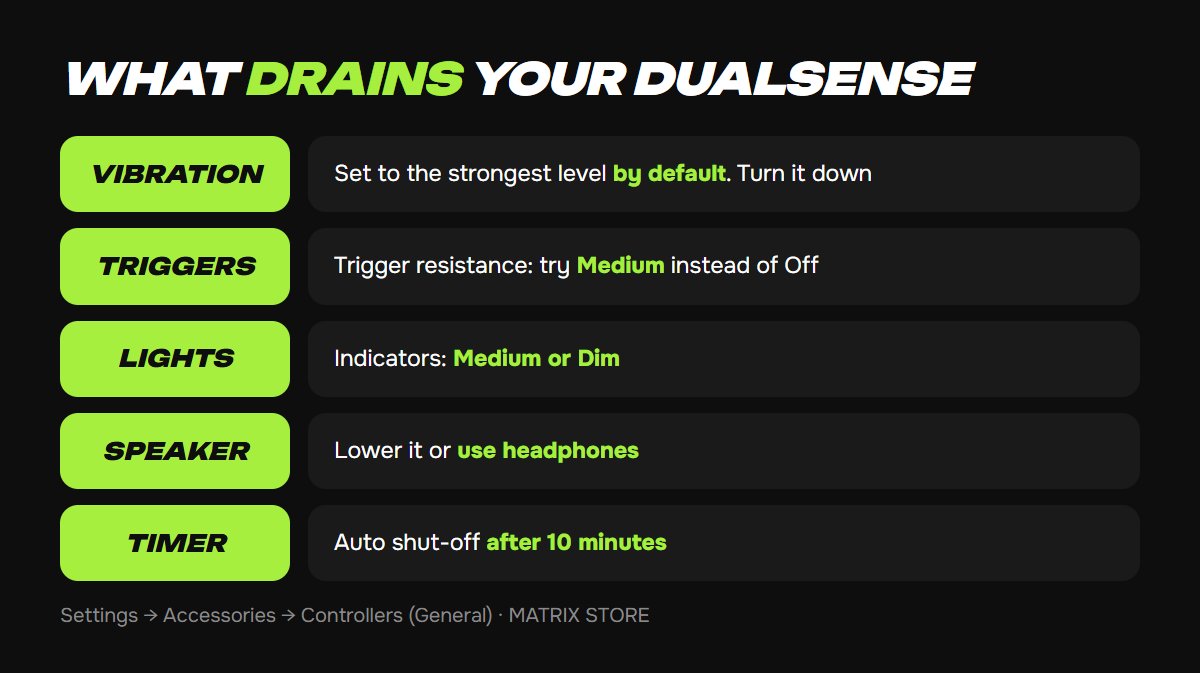
Vibration and trigger effects. The motors and trigger resistance are the biggest draw. Games with heavy haptics drain the battery noticeably faster.
Light bar and indicators. A smaller draw, but they're on the whole time.
Built-in speaker and mic. The speaker plays game audio, and an unmuted mic is always listening.
A controller that never turns off. Watching a movie or walked away? The DualSense keeps draining.
7 settings that help
1. Vibration. Settings → Accessories → Controllers (General) → Vibration Intensity. Try Medium or Weak.
2. Trigger effects. Same screen → Trigger Effect Intensity. Medium keeps some of the feel without the full drain.
3. Indicator brightness. Same screen → Brightness of Controller Indicators → Medium or Dim.
4. Controller speaker. Lower the controller speaker volume or use headphones.
5. Microphone. Settings → Sound → Microphone → Microphone Status When Logged In → Mute. Tap the mute button on the controller when you want to talk.
6. Auto shut-off. Settings → System → Power Saving → Set Time Until Controllers Turn Off: 10, 30, or 60 minutes. Shorter is better for the battery.
7. Turn it off yourself. Press the PS button → Control Center → Accessories → your controller → Turn Off. Handy before a movie.
For every other controller option, see our DualSense settings guide.
More battery means more playtime. Find your next game for your own account or through Game Sharing in the Matrix Store catalog.
Charge in rest mode
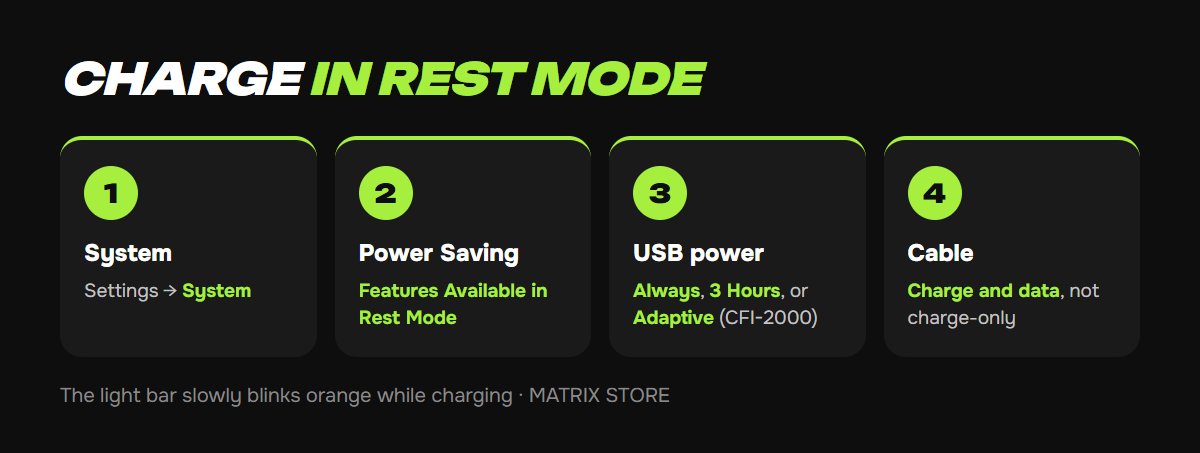
1. Settings → System → Power Saving.
2. Features Available in Rest Mode → Supply Power to USB Ports.
3. Choose Always or 3 Hours. PS5 consoles in the CFI-2000 model group also offer Adaptive, which adjusts charging time to the controller's remaining battery and stops supplying power if nothing is connected.
While it charges in rest mode, the light bar slowly blinks orange, then turns off when the battery is full. You can check the battery level under Accessories in the Control Center.
Cables and chargers
Use a charge-and-data USB cable. Sony says cables marked "charge only" won't work.
Not every USB wall charger works. If the controller won't charge from a wall adapter, plug it into the console instead.
Try a different USB port on the PS5 if one isn't charging.
Storing a spare controller
If a second DualSense sits in a drawer, Sony recommends fully charging it at least once a year to keep the battery healthy. Keep it away from heat, including the top of the console.
Controller won't charge or connect at all? Work through our DualSense won't connect guide.
Want a hand?
We'll help with console setup and pick games for your account or through Game Sharing. Pay with USDT. Questions? Message us in the bot @matrix_eng_bot or our manager on Telegram.