
Your PS5 game library explained: find every game you own, download it again, hide clutter, and build gamelists
2026-11-06 · Guides
Quick answer: every game you have rights to, installed or not, is in Game Library → Your Collection. Select a game and choose Download to get it back. Hide clutter with Options → Hide, and organize everything with gamelists, created from the same tab.
Where to find it
On the home screen, go to Games (press L1 if you're in Media), then scroll all the way to the right of the game row. The last card is Game Library. Inside, press R1 to switch to Your Collection.
What's in Your Collection
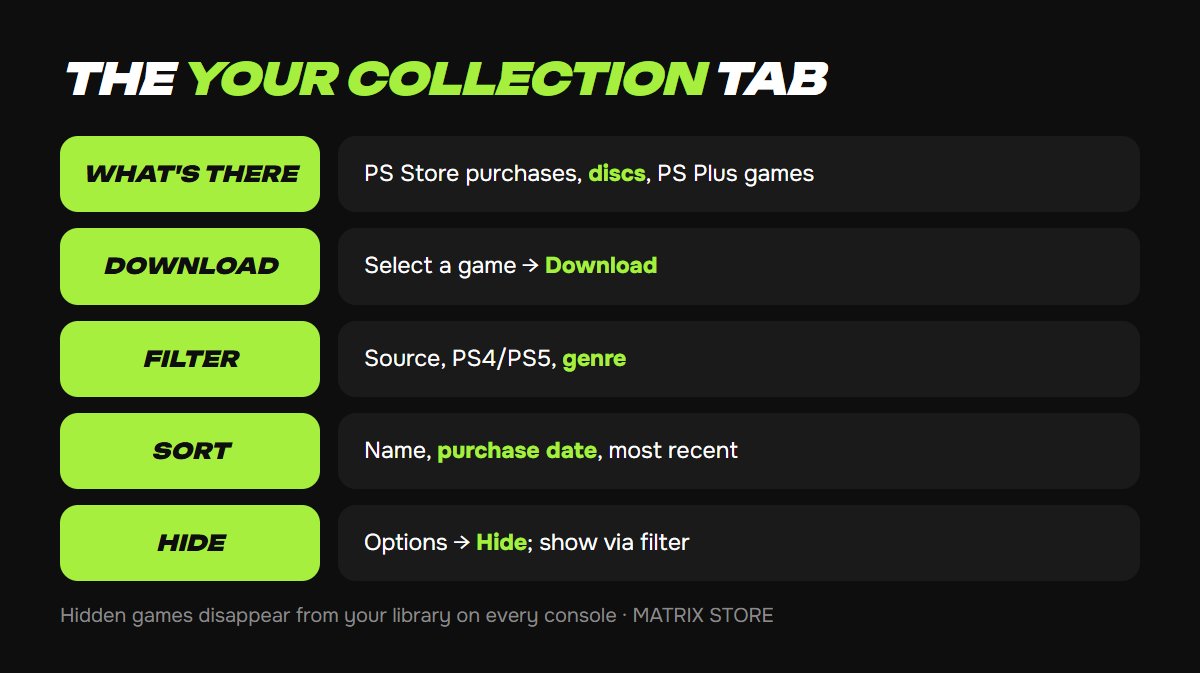
Everything your account has access to:
- games bought in PlayStation Store;
- games you've played from disc;
- PlayStation Plus Essential monthly games you claimed;
- PlayStation Plus Extra and Premium catalog games you've played.
Subscription games work while your membership is active. If a padlock shows up on a game, our guide to restoring PS5 licenses will help.
Download again: select the game and choose Download.
Show only purchases: Sort and Filter (left of the list) → Source → tick PlayStation Store only.
Sort: Most Recent, Name (A to Z or Z to A), Purchase Date (new to old or old to new). Filter by PS4, PS5, or genre.
Bought a game on your own account through Matrix Store? It shows up in Your Collection like any other PlayStation Store purchase.
How to hide a game
From your library: in Your Collection, highlight the game → Options → Hide. Sony says hidden games disappear from your library on every console, and it doesn't affect your profile. To see them again, turn on Hidden Items under Sort and Filter.
From other players: that's a separate setting. Go to Settings → Users and Accounts → Privacy → View and Customize Your Privacy Settings → Hide your games from other players. Your activity in those games won't be shown. Our PSN privacy settings guide covers the rest.
Gamelists instead of folders
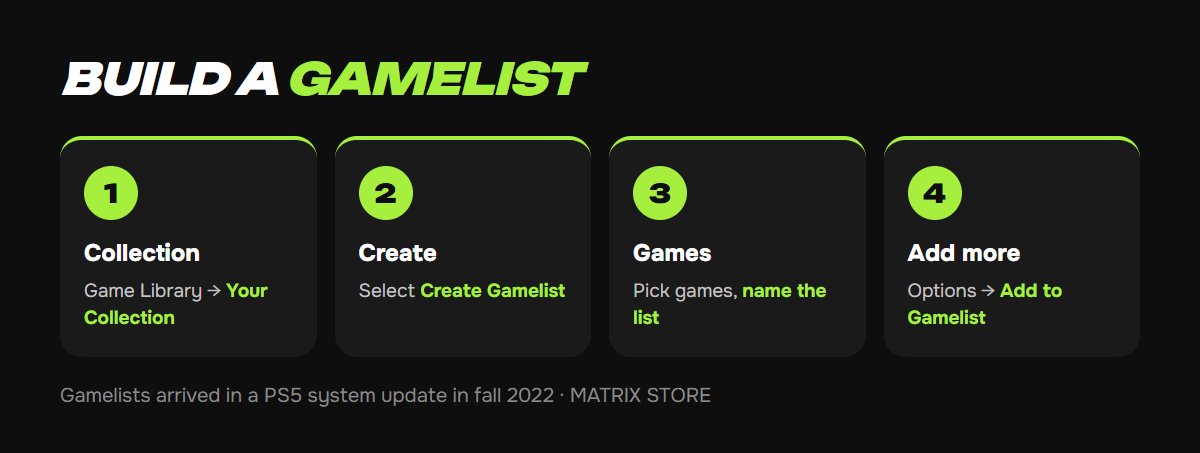
PS5 doesn't have PS4-style folders, but a fall 2022 system update added gamelists.
1. Open Game Library → Your Collection.
2. Select the round Create Gamelist icon on the left.
3. Pick your games and give the list a name, like "Co-op night" or "Backlog".
4. Add more later: highlight a game → Options → Add to Gamelist.
Gamelists sit at the top of Your Collection. To remove a game, highlight it inside the list and use Options. To rename or delete a list, press Options while viewing it. According to Press Start, you can have up to 15 gamelists with up to 100 games each.
FAQ
A game is missing. Make sure you're signed in to the account that bought it and that it isn't hidden. If it's there but won't start, restore licenses.
Not enough space to download. Clear some room first: see our guide to freeing up PS5 storage.
Can I hide PS Plus games I'm done with? Yes, same way: Options → Hide.
Don't want to deal with it?
We'll help with console setup and pick a game for your account or through Game Sharing. Pay with USDT. Questions? Message us in the bot @matrix_eng_bot or our manager on Telegram.