
Can't sign in to PSN? What error codes WS-37368-7, WS-37397-9, NP-34957-8 and others mean
2026-11-03 · Guides
Your console says "An error has occurred" with a string of letters and numbers, and your game won't start. The code isn't a verdict but a clue: the first letters tell you where to look. WS and NP mean a connection to PlayStation Network services, CE means the console itself, and NW means the network. Below are the most common sign-in codes, explained using Sony's official pages, and what to do about them.
First, a 5-minute check
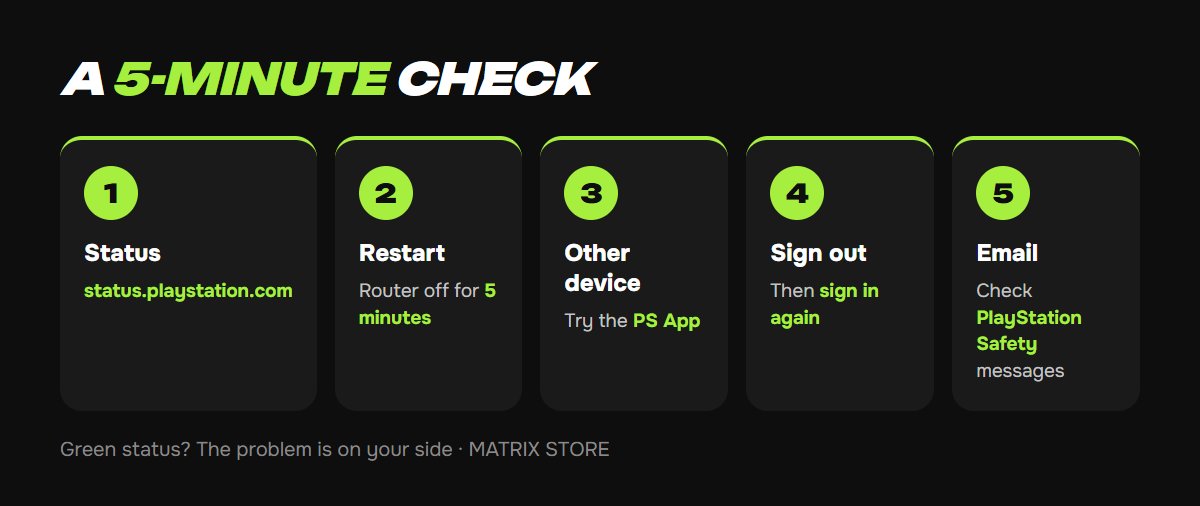
1. Server status. Open status.playstation.com on your phone. If there's a yellow or red icon next to "Account Management" or "Gaming and Social", just wait; nothing's wrong on your end. Sony lists this as the first step in almost every guide to network codes.
2. Restart your network and console. Unplug your router for at least 5 minutes and turn your console completely off rather than putting it in rest mode. Then plug in the router, wait for the lights and turn on your PS5.
3. Sign in from another device. Try signing in to the same account in the PS App on your phone or in a browser. If it works, the problem is with your console or its network. If it doesn't, the problem is with your account: your password, 2-Step Verification or a restriction.
4. Sign out and back in. Settings → Users and Accounts → Other → Sign Out, then sign in again. Sony recommends this for error NP-103028-4, "There was a problem signing in".
5. Check your email. Suspension notices from PlayStation Safety go to your sign-in address and often land in spam.
What the codes mean
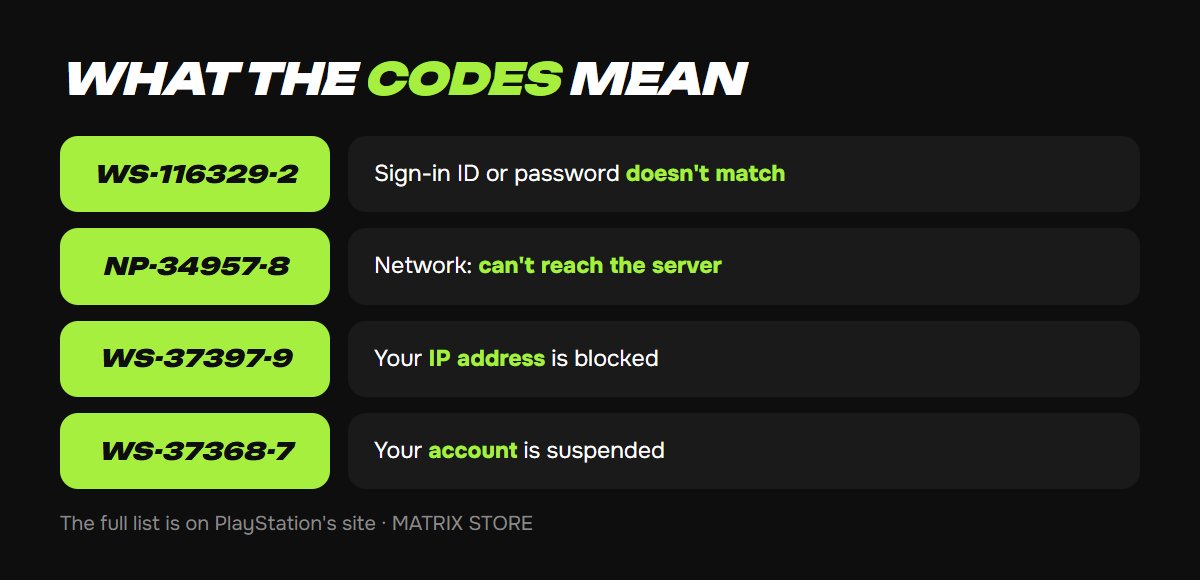
- WS-116329-2: "Sign-in ID or password doesn't match". Passwords are case-sensitive, so check your keyboard layout and Caps Lock. Forgot it? See Forgot your PSN password.
- NP-103028-4 and NP-104433-5: "There was a problem signing in" and "Problem with sign-in status". Fix them by signing out and back in, then restarting your console.
- NP-34957-8, WS-37469-9, NP-31952-0: "Couldn't connect to the server" or "Connection timed out". This is your network: check server status, unplug your router for 5 minutes, and use a cable instead of Wi-Fi if you can.
- WS-117176-3 and WS-117224-7: a problem with your 2-Step Verification settings. Most often, the phone number is already linked to another account. Remove it there (Settings → Users and Accounts → Account → Security → Mobile Phone Number) or use another number.
- WS-37397-9: "Couldn't connect to the server", with a twist: if the status page is all green, Sony says your IP address was blocked for activity that violates the terms of service, possibly because of a virus on a device in your home network. Sony's advice is to scan all your devices with antivirus software and contact your internet provider; once the cause is fixed, the IP is unblocked automatically. A quick workaround is to use a different connection, such as a phone hotspot.
- WS-37368-7, WS-116367-4: "PlayStation access suspended". This is an account restriction, not a network issue. See the next section for what to do.
- WS-116331-5, WS-116330-4: access is temporarily suspended. WS-116332-6: access from this specific console is banned or temporarily unavailable.
- WS-116449-5, NP-103105-0 and similar: "Service under maintenance". Just wait.
If your account is fine and you just need games, the Matrix Store catalog offers purchase on your own account and P2/P3 Game Sharing, and we help with sign-in and setup.
If your access is suspended
Sony divides suspensions into temporary and permanent, and by scope into account suspensions, communication suspensions (social features only) and console suspensions for the most serious violations. The length and type depend on how serious the violation was and on your account's history. To see how much time is left, check the email from PlayStation Safety or the My Support page (playstation.com/safety/status). A separate case is account debt, for example after a bank reverses a payment: the restriction is lifted once the balance is paid. Sony offers appeals "in certain cases", for debt and for permanent suspensions, through a form on its support site. Sony doesn't charge for subscriptions during a suspension.
A safety rule: don't sign in to other people's accounts with an unclear history, and don't give your details to strangers. See PSN account hacked: what to do.
Your 2-Step Verification code doesn't arrive
A code is valid for 10 minutes. If the SMS doesn't arrive, check that your account has the correct number with its country code, and request the code again. It's more reliable to switch to an authenticator app (Google Authenticator, Microsoft Authenticator, Authy): Settings → Users and Accounts → Security → 2-Step Verification. If you lost your phone, enter one of the backup codes Sony gave you when you turned it on. With no phone and no codes, your only option is contacting support and verifying your identity. See 2-Step Verification on PS5 for details.
Don't want to deal with it?
We'll help you sign in, set up your account and get a game on your own account or through Game Sharing. Pay with USDT. Questions? Message our manager on Telegram or WhatsApp.
Sources
- PlayStation: list of PS5 error codes
- PlayStation: WS-37368-7, account suspended
- PlayStation: WS-37397-9, IP address blocked
- PlayStation: WS-116329-2, sign-in ID or password doesn't match
- PlayStation: NP-103028-4, problem signing in
- PlayStation: WS-117176-3, 2-Step Verification settings
- PlayStation: suspensions on PlayStation
- PlayStation: how to set up 2-Step Verification
- GamesRadar: PS4 error codes and how to fix them