
Which PS5 to buy: standard, Slim, Digital or Pro
2026-11-03 · Guides
Three generations of PS5 are on sale at once, and each comes in two versions. To a newcomer, that looks like six different consoles, but the choice really comes down to two questions: do you need a disc drive and do you need a Pro. Here's the breakdown, based on facts from Sony and major outlets, with no marketing.
What models exist
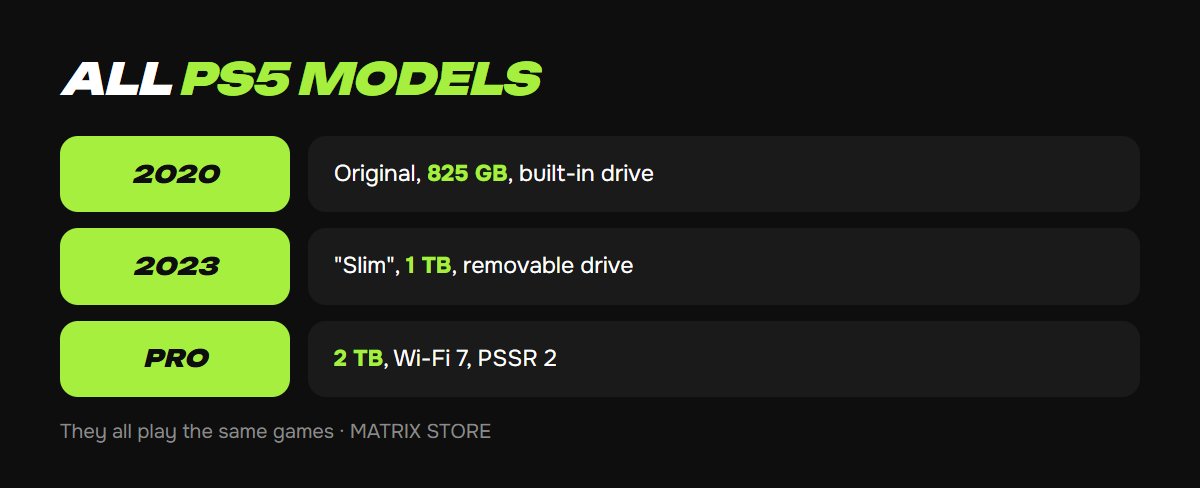
- The 2020 PS5 (CFI-1000 and later revisions): the first and largest, with an 825 GB SSD. It comes with a disc drive or as a Digital Edition without one. It's no longer made and is only available used.
- The "new" 2023 PS5 (CFI-2000), commonly called the Slim: announced October 10, 2023. Its body is 30% smaller, and it weighs 18% less with a disc drive and 24% less as Digital. It has a 1 TB SSD. The main new feature is a removable disc drive sold separately, so you can add one to a Digital model later. It has two USB-C ports on the front instead of one USB-C and one USB-A. A vertical stand isn't included. Performance is the same as the first PS5.
- The PS5 Pro (CFI-7000): released November 7, 2024. More powerful graphics with advanced ray tracing, PSSR neural upscaling (PSSR 2 since March 2026), a 2 TB SSD and Wi-Fi 7. There's no disc drive in the box, but the same removable one fits. See Is the PS5 Pro worth it? for a detailed look.
All three play the same games: the Pro has no exclusives, and PS4 games run on all of them.
Sony's prices
Since April 2, 2026, Sony's list prices have been: PS5 with disc drive $649.99, PS5 Digital $599.99, PS5 Pro $899.99. The removable disc drive cost $79.99 at launch. So the Digital costs about one game less than the disc model, and the Pro costs about four or five games more than the standard console.
Disc drive or Digital
Get one with a disc drive if:
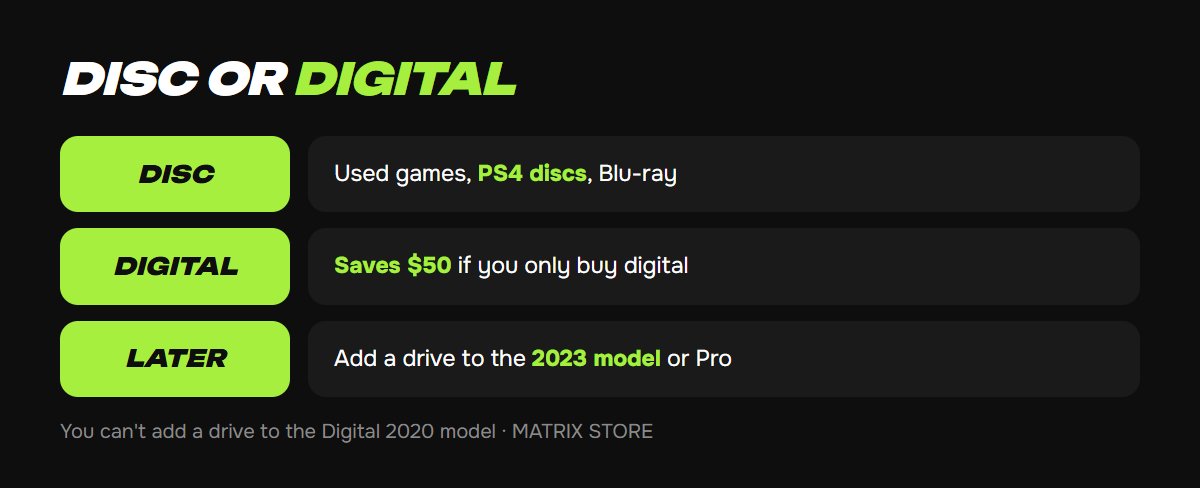
- you plan to buy used discs and sell what you've finished, which saves real money on big releases;
- you have a collection of PS4 discs, which run on PS5;
- you watch Blu-ray movies.
Get a Digital if:
- you only buy digital games, on your own account or through Game Sharing;
- you want to spend less now: you can add a disc drive to the 2023 model and the Pro later. You can't add one to the original 2020 PS5, since its drive is built in.
Every game in the Matrix Store catalog is digital, on your own account or through Game Sharing, so you don't need a disc drive for our catalog.
Standard or Pro
The difference only shows on a 4K TV with 120 Hz and VRR and in demanding new games with ray tracing. On a Full HD screen, and in PS4 games, indies and sports sims, the Pro is almost indistinguishable from the standard model. On the other hand, 2 TB of storage settles the space question for a year ahead, while a standard PS5's SSD fills up after three or four big games. If a standard PS5 plus a 1–2 TB SSD costs less than a Pro, it gives you the same capacity. See how to expand your PS5 storage.
Buying used: what to check
1. The model is on the sticker on the bottom: CFI-10xx is the first model, CFI-20xx is 2023, CFI-70xx is the Pro. The letter B in the model number means Digital.
2. Turn on the console and go to Settings → System → System Software → Console Information, which shows the software version and serial number. Compare them with the sticker.
3. Make sure the seller has signed out of their account and reset the console: the first startup should run setup from scratch. Otherwise, the console may stay "primary" for someone else's account. See Primary console on PS5 and PS4 for what that means.
4. Listen to the fan and check how warm the case is after 15 minutes of play. A noisy or hot console is a reason to negotiate or walk away.
5. Disc drive: insert any disc, and it should load without effort. Controller: check the sticks for drift under Settings → Accessories → Controller.
Bottom line
For a newcomer with a regular TV: the 2023 PS5, with or without a disc drive depending on how you buy games. For someone with a 120 Hz 4K TV who buys every big release: the PS5 Pro. A used 2020 PS5 is a good option only at a real discount and after going through the checklist above.
Don't want to deal with it?
We'll pick games for your console, on your own account or through Game Sharing. Pay with USDT. Questions? Message our manager on Telegram or WhatsApp.
Sources
- PlayStation Blog: new PS5, PS5 Pro and PS Portal prices from April 2, 2026
- PlayStation: official PS5 Pro page
- Push Square: Sony unveils new PS5 with attachable disc drive, Oct 10, 2023
- Thurrott: smaller PS5 with $79.99 disc drive coming in November
- Wccftech: new PS5 revision is 30% smaller, with a 1 TB SSD
- Shacknews: PS5 Pro revealed, launching November 7