
How to customize the PS5 control center: rearrange and hide icons, use cards, and get quick settings in one press
2026-11-06 · Guides
Quick answer: press the PS button, highlight any icon in the bottom row, press Options, pick an icon, move it, and press X to drop it in place. Press Options again when you're done. Icons you don't need go into the Hidden Controls area, though Sony notes that some icons can't be hidden.
The control center is the menu that slides up over your game when you press the PS button. Cards for your current game sit on top, and the icon row at the bottom gives you music, sound, mic, friends, and power. Set it up once and you'll rarely need the home screen mid-session.
What's in the control center
Cards fill the top row: activity cards for the current game (objectives, challenges, Game Help), voice chat and broadcast cards, and a media card for whatever's playing. They change with what you're doing.
Icons fill the bottom row. Sony's standard list: Home, Switcher, Notifications, Game Base, Music, Sound, Mic, Accessories, Profile, and Power.
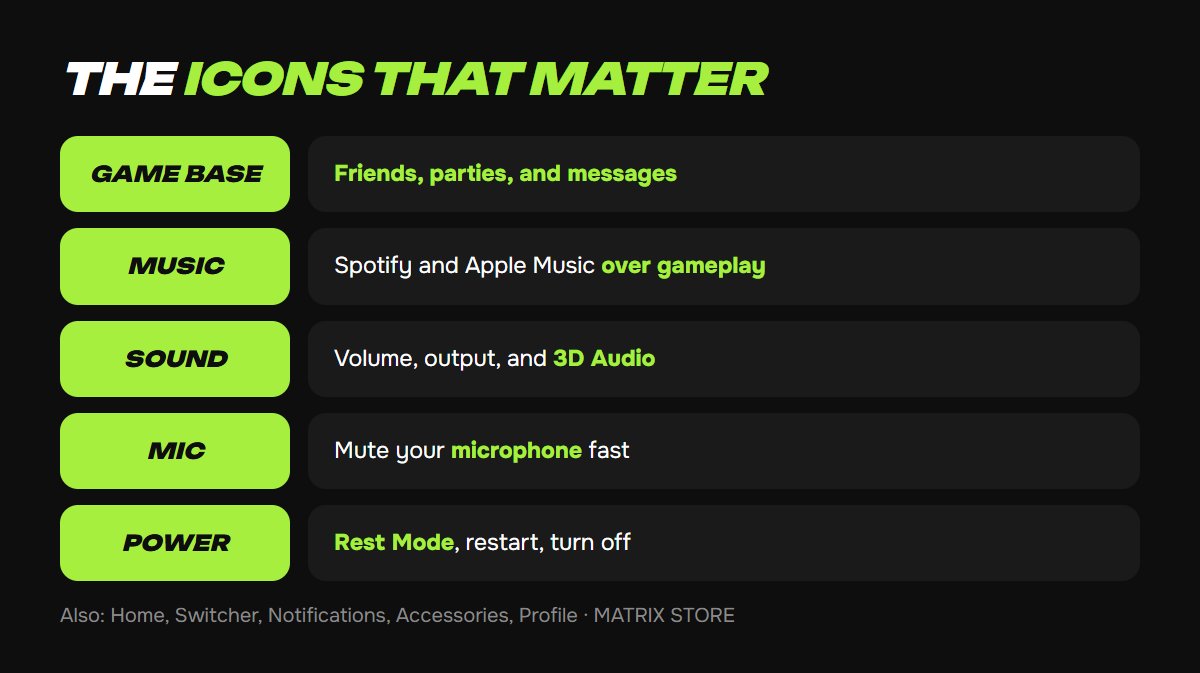
Game Base handles friends, parties, and messages. It's also where you add friends on PSN.
Music plays Spotify or Apple Music over your game. See our guide to music while gaming on PS5.
Sound covers volume and output. For 3D Audio and detailed options, Sony points you to Settings → Sound → Audio Output.
Mic mutes your microphone instantly.
Power gets you Rest Mode, restart, and shutdown.
Notifications opens your list and Do Not Disturb. Our PS5 notifications guide explains every option.
How to rearrange icons
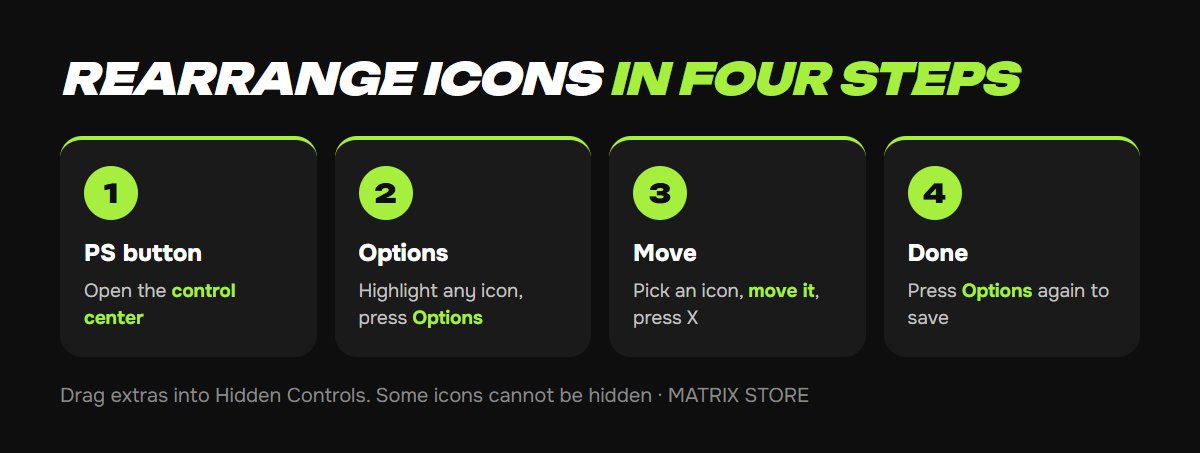
1. Press the PS button to open the control center.
2. Highlight any icon in the bottom row and press Options.
3. Select the icon you want to move, move it, and press X to place it. Repeat for other icons.
4. Press Options to finish. Your layout is saved.
While you're tidying menus, check out the Matrix Store catalog for games on your account or through Game Sharing.
How to hide or restore an icon
In edit mode (step 2), move an icon into Hidden Controls and it disappears from the bottom row. To bring it back, select it in Hidden Controls and move it to the displayed area. Some icons can't be hidden.
Hidden Controls also holds extras you can promote. Sony specifically mentions adding Accessibility to the control center, which is handy if you toggle Zoom or captions often. Our PS5 accessibility guide covers those features.
Shortcuts worth knowing
Press PS twice during a game to jump straight to the most recent card. Great for pausing music or checking an objective.
Press square on the Now Playing card to pause or resume music without opening the app.
Put your habits first. If you party up a lot, move Game Base and Mic to the front. If you listen to music, move Music and Sound up.
FAQ
Does the layout follow me to another console? You set it on the console. If you use two PS5s, check each one.
An icon disappeared. It's almost certainly in Hidden Controls. Enter edit mode and move it back.
Can I rearrange cards? Sony's instructions only cover the icon row. The console decides which cards appear.
Don't want to deal with it?
We'll help with console setup and pick a game for your account or through Game Sharing. Pay with USDT. Questions? Message us in the bot @matrix_eng_bot or our manager on Telegram.