
How to get your PS5 ready for GTA 6: storage, download times and what to check before November 12
2026-11-03 · Guides
GTA 6 comes out on November 19, 2026, and digital PS5 pre-orders can start downloading on November 12. That means the week before launch goes to downloading, and it's better to prepare your console now than to figure out what to delete on the evening of the 12th. Here's a calm plan: what to do and in what order.
What we know and what we don't
- Preload: from November 12, according to media reports, starting at midnight local time. This applies to digital pre-orders.
- Boxed edition: there's no disc inside, just a download code. You can redeem it and start the preload from November 12 too.
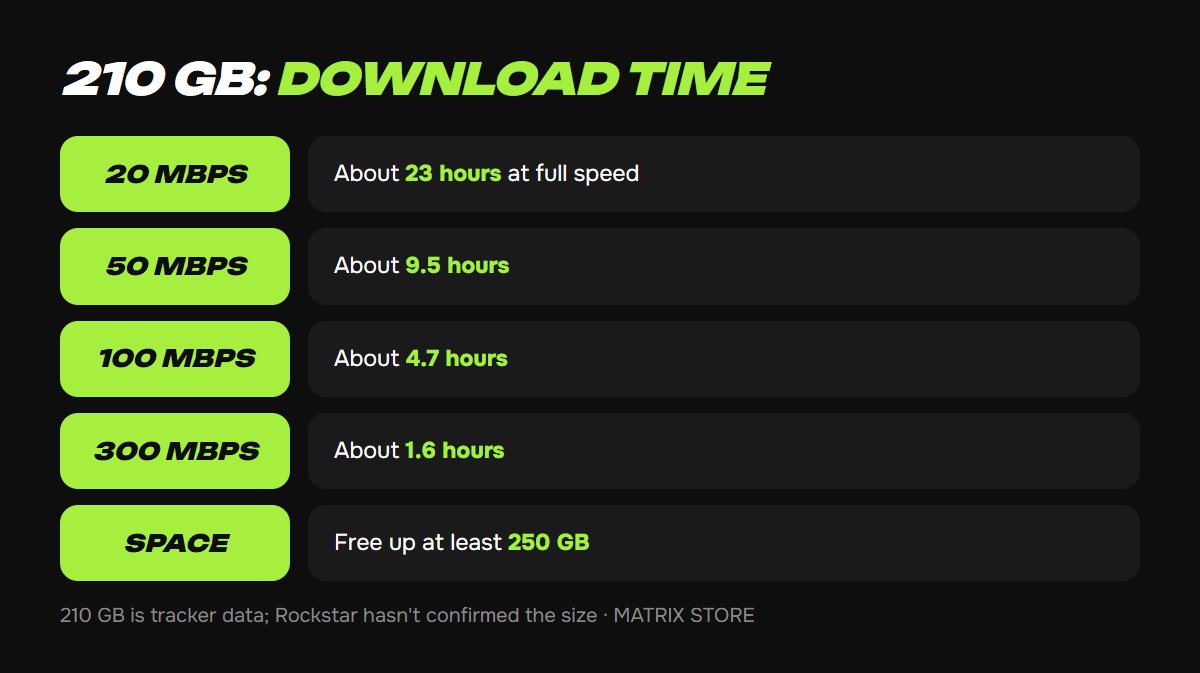
- Size: about 210 GB, but that isn't an official figure. It was published on October 27 by the PlayStation Game Size tracker, which watches the PSN database. Rockstar hasn't confirmed the size, so treat it as an estimate.
- Day-one patch: nobody has described it yet, so leave some room.
How much space you need
On a PS5 with an 825 GB drive, about 660–667 GB is available to you, so GTA 6 will take up almost a third of it. Models with 1 TB and the 2 TB PS5 Pro have more room. To see your free space: Settings → Storage.
Your goal: free up at least 250 GB. That's our recommendation: 210 GB plus some margin for patches and in case the final size turns out larger.
How to free up space
1. Delete what you don't play: Settings → Storage → Console Storage → Games and Apps. You can re-download anything you bought from your library, and your saves aren't deleted.
2. Move games to a USB drive. PS4 games run directly from it, but PS5 games can only be stored there. GTA 6 itself must be on the internal SSD or an M.2 drive.
3. Install an M.2 drive if you're always out of space. See how to expand your PS5 storage for details.
All the paths and methods are in our guide on how to free up space on PS5.
You can see GTA 6 pre-orders on your own account and Game Sharing options on the game page.
How long the download takes
A simple estimate for 210 GB at ideal speed:
- 20 Mbps: about 23 hours;
- 50 Mbps: about 9.5 hours;
- 100 Mbps: about 4.7 hours;
- 300 Mbps: about 1.6 hours.
In real life it will take longer: servers may be overloaded in the first few hours, and Wi-Fi rarely delivers your plan's full speed. For a big download, a cable is more reliable than Wi-Fi.
Console settings to check before November 12
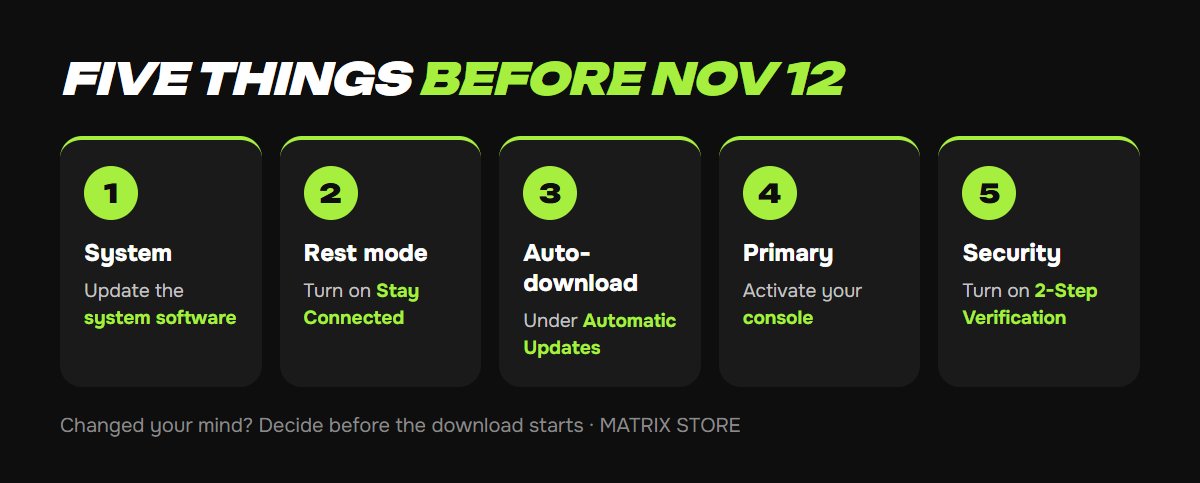
1. Update your system: Settings → System → System Software → System Software Update and Settings.
2. Allow downloads in rest mode: Settings → System → Power Saving → Features Available in Rest Mode → Stay Connected to the Internet.
3. Turn on auto-download: Settings → Saved Data and Game/App Settings → Automatic Updates → Auto-Download. If it doesn't kick in, open your Game Library, go to the Purchased tab and start the download manually.
4. Make your console the primary one for the account with the pre-order: Settings → Users and Accounts → Other → Console Sharing and Offline Play. See primary console on PS5 and PS4 for details.
5. Protect your account: turn on 2-Step Verification and save your backup codes.
Two things people forget
- Changed your mind? Decide before the preload. Under PlayStation Store rules, starting a download, including a preload, ends your right to a pre-order refund, and auto-download can start it on its own.
- The month of GTA+ included with a digital pre-order later becomes paid unless you cancel it. Check your subscriptions after launch. Turning off auto-renewal works the same way as for PS Plus.
Don't want to deal with it?
We'll help with a pre-order on your own account or find you a Game Sharing option. Pay with USDT. Questions? Message our manager on Telegram or WhatsApp.